
DJI drone GPS module repair service India at DJI Service India Lucknow
Drone GPS signal not working is one of the most searched problems by DJI drone pilots across India — and this guide covers every fix you need. If your drone GPS signal not working error has suddenly appeared on your DJI app, you are not alone. This is one of the most frustrating problems drone pilots face — especially right before an important shoot or flight. The good news is that most GPS issues can be fixed at home with the right steps. And for the ones that cannot, our professional DJI drone repair service in Lucknow is here to help.
In this complete guide, we will cover every reason why your drone GPS signal is not working, how to fix it yourself step by step, when GPS calibration is needed, and when the problem is serious enough to need expert repair. Whether you own a DJI Mini, Mavic, Air, or Avata — this guide applies to all models.
What Does “GPS Signal Not Working” Actually Mean?
When your DJI drone shows a GPS error, it means the drone’s onboard GPS module is either not receiving satellite signals or receiving too few of them to safely lock position. Without a proper GPS lock, your drone cannot:
- Hold its position in the air (it will drift)
- Use Return to Home (RTH) safely
- Follow waypoints or intelligent flight modes
- Record accurate location data in flight logs
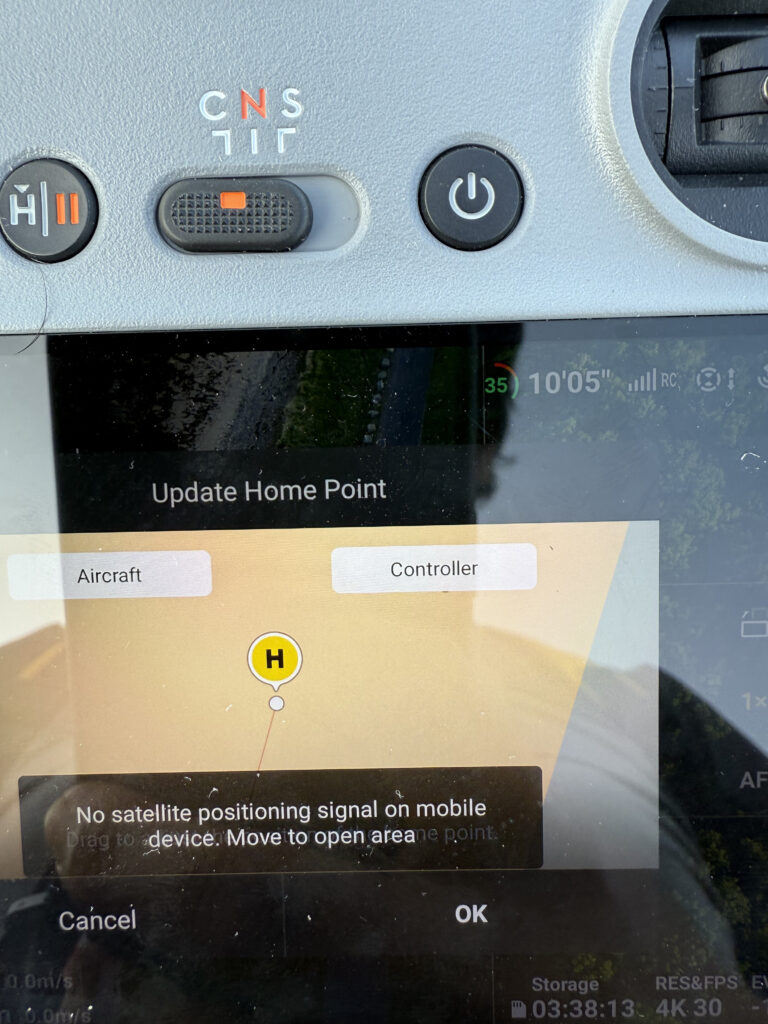
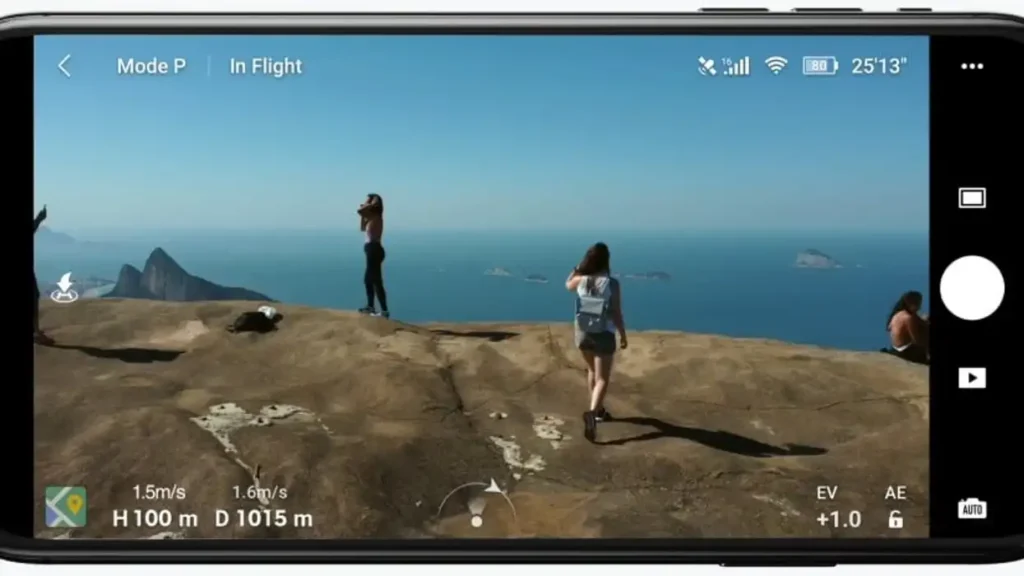
The DJI app usually shows warnings like “GPS Signal Weak”, “GPS Error”, “Weak GPS, fly with caution”, or the GPS icon stays red even after waiting several minutes. All of these point to a drone GPS signal not working situation that needs immediate attention.
Common Reasons Why Drone GPS Signal Is Not Working
Understanding the cause is the first step toward fixing the problem. Here are the most common reasons your drone GPS signal not working issue occurs:
1. Flying in a GPS-Restricted or Blocked Area Buildings, trees, bridges, and metal rooftops can block GPS satellite signals. Underground areas and indoor spaces have zero GPS coverage.
2. Compass Interference GPS and compass work together on DJI drones. If there is magnetic interference nearby — from power lines, metal structures, car rooftops, or even other electronics — the GPS signal gets disrupted.
3. Compass Not Calibrated An uncalibrated compass is one of the biggest causes of GPS errors. If you have moved to a new city, changed flying location, or recently updated firmware, the compass may need recalibration.
4. Cold Start Delay When you power on your drone in a new location for the first time, it can take 2 to 5 minutes for GPS to lock onto satellites. Many pilots mistake this normal delay for a malfunction.
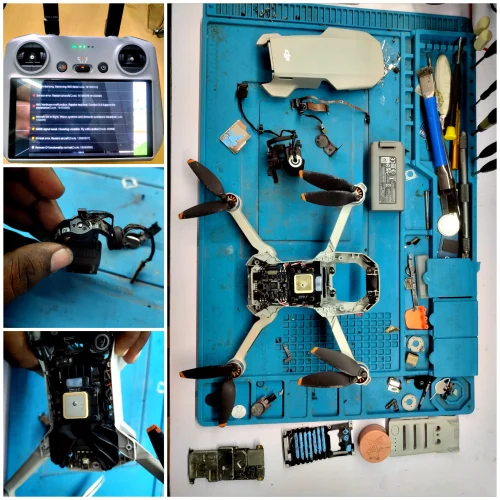
5. Damaged or Faulty GPS Module If the GPS module inside your drone is physically damaged — due to a crash, water exposure, or manufacturing defect — no amount of software fixes will resolve the issue.
6. Outdated Firmware Old firmware can cause GPS communication errors between the flight controller and GPS module. Always keep your drone firmware updated through the DJI app.
7. Satellite Count Too Low DJI drones typically need at least 6 satellites to lock GPS. If fewer satellites are visible from your location, the drone will show GPS warnings and refuse to arm in certain modes.
8. GPS Antenna Wire Damage Inside your drone, a thin cable connects the GPS module to the flight controller. After a crash, this cable can get pinched, disconnected, or damaged — causing persistent GPS failure. All of these causes lead to the same result — drone GPS signal not working errors that stop you from flying safely. When your drone GPS signal not working problem appears, follow these steps carefully before concluding it is a hardware issue.
How to Fix Drone GPS Signal Not Working – Step by Step
Try these fixes in order before deciding that a hardware repair is needed.
Step 1 — Move to an Open Area Go to a clear open space away from buildings, trees, power lines, and metal objects. The sky above should be clearly visible with no obstructions. This alone fixes the problem for many pilots.
Step 2 — Wait for GPS Lock After powering on your drone, place it flat on the ground and simply wait. Give it 3 to 5 minutes without moving it. The GPS needs time to scan and lock onto satellites when starting from a new location.
Step 3 — Check for Magnetic Interference Do not place your drone on a car roof, metal table, or near electrical equipment while waiting for GPS lock. Even keeping your phone too close to the drone can interfere with the compass. Place it on a wooden or plastic surface on the ground.
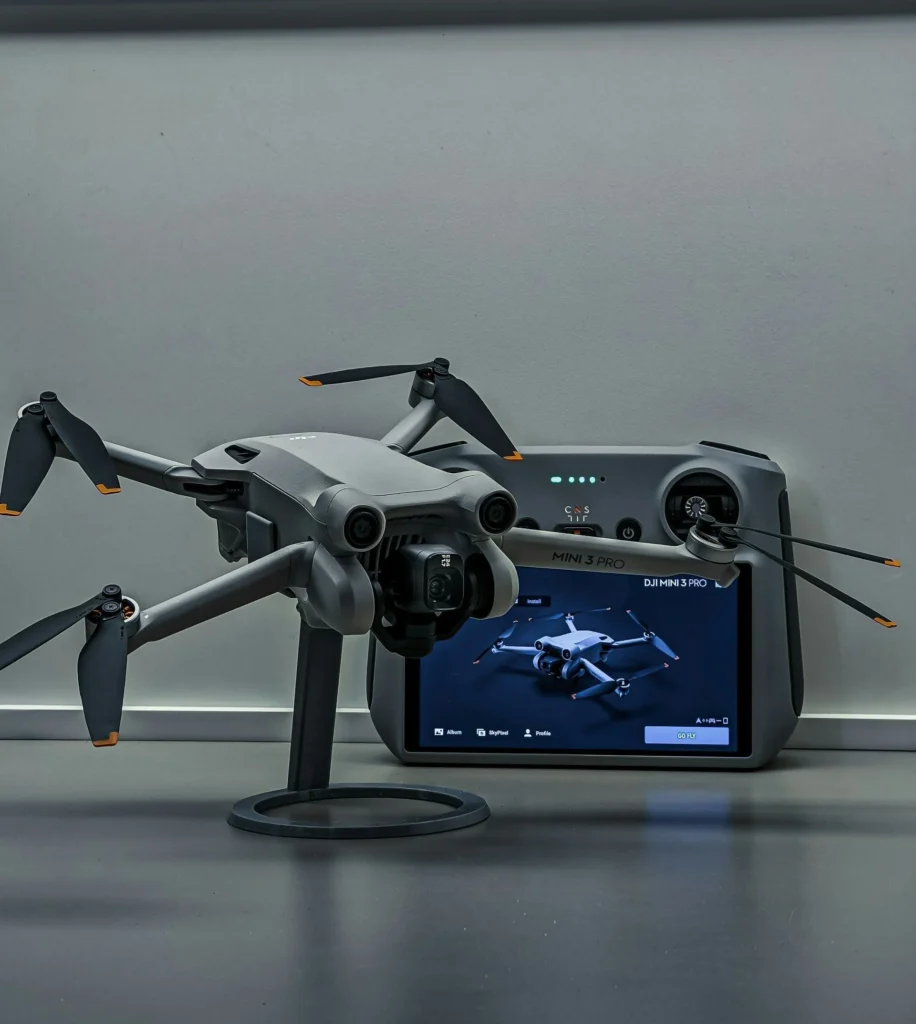
Step 4 — Restart the Drone and Controller Power off both the drone and the remote controller completely. Wait 30 seconds, then power them back on in the correct order — controller first, then drone. This refreshes all sensor connections including GPS.
Step 5 — Update Firmware Open the DJI Fly or DJI GO 4 app, connect your drone, and check for any available firmware updates. An outdated firmware version is a surprisingly common cause of drone GPS signal not working errors on DJI models.
Step 6 — Calibrate the Compass This is the most important step and is covered in detail in the next section.
Step 7 — Refresh GPS Data In the DJI app, go to Safety Settings → Refresh GPS Data (available on some models). This downloads fresh GPS satellite almanac data which helps the drone find satellites faster.
Step 8 — Check and Reset IMU Go to Settings → Sensors → IMU Calibration in the DJI app. Perform a full IMU calibration on a flat surface. A misaligned IMU can indirectly affect GPS performance.
How to Calibrate Your DJI Drone GPS / Compass
Compass calibration is the fix that resolves the majority of drone GPS signal not working issues. Here is the exact step-by-step process:
Before You Start:
- Go to an open outdoor area
- Stay away from metal structures, cars, and power lines
- Make sure your drone battery is above 50%
Step 1 — Open the DJI Fly app and connect to your drone
Step 2 — Tap the three-dot menu (Safety settings) in the top right corner
Step 3 — Tap Sensors then select Compass Calibration
Step 4 — Hold your drone horizontally and rotate it 360 degrees slowly until the app gives a green tick
Step 5 — Now hold your drone vertically (nose pointing down) and rotate it 360 degrees again slowly
Step 6 — Wait for the solid green LED confirmation — calibration is complete
Important: If the calibration fails repeatedly in the same location, move at least 50 meters away and try again. Some locations have permanent magnetic interference that makes calibration impossible. Compass calibration resolves nearly 60% of all drone GPS signal not working cases — so always try this first.
GPS Error Codes on DJI Drones — What They Mean
These error codes all relate to drone GPS signal not working situations — here is what each one means and how to fix it.
| Error Message | What It Means | Fix |
|---|---|---|
| GPS Signal Weak | Too few satellites visible | Move to open area, wait |
| Compass Error | Magnetic interference detected | Calibrate compass |
| Strong Interference Detected | Nearby electronics affecting GPS | Move away from electronics |
| Return to Home Unavailable | GPS lock not achieved | Wait for full GPS lock |
| GPS Module Error | Hardware fault in GPS chip | Professional repair needed |
| IMU Error | Sensor misalignment | IMU calibration needed |
If you have followed all the steps above and still face drone GPS signal not working errors, the problem is almost certainly hardware-related.
When Is the GPS Problem a Hardware Issue?
If you have tried all the steps above and your drone GPS signal not working problem still persists, the issue is likely hardware-related. Here are the clear signs that your drone needs professional repair:
- GPS never locks even after 10+ minutes in a clear open field
- Compass calibration fails every single time regardless of location
- The GPS icon stays red permanently even after firmware updates
- Drone drifts badly in every flight even after calibration
- App shows “GPS Module Error” specifically
- GPS error appeared immediately after a crash or water exposure
- GPS was working fine before and stopped suddenly with no environmental change
In all these cases, the GPS module itself, the GPS antenna cable, or the flight controller board may be physically damaged and needs to be diagnosed and repaired by a qualified technician.
GPS Repair Cost for DJI Drones in India
Getting your drone GPS signal not working issue professionally diagnosed and repaired in India is more affordable than most pilots expect.
| DJI Drone Model | GPS Module Repair Cost (Approx.) |
|---|---|
| DJI Mini 1 / Mini SE | ₹1,500 – ₹3,000 |
| DJI Mini 2 / Mini 2 SE | ₹1,800 – ₹3,500 |
| DJI Mini 3 / Mini 3 Pro | ₹2,000 – ₹4,500 |
| DJI Mini 4 Pro | ₹2,500 – ₹5,000 |
| DJI Air 2 / Air 2S | ₹2,500 – ₹5,000 |
| DJI Air 3 / Air 3S | ₹3,000 – ₹6,000 |
| DJI Mavic 3 / 3 Pro | ₹4,000 – ₹8,000 |
| DJI Avata / Avata 2 | ₹2,000 – ₹5,000 |
Note: These are approximate ranges. Final cost depends on exact diagnosis. We provide a free inspection and repair quote before any work begins.
Can You Fly Your Drone Without GPS?
Yes — DJI drones can fly in ATTI Mode (Attitude Mode) without GPS. In this mode, the drone uses its barometer and IMU sensors to maintain altitude, but it will drift horizontally with wind and will not hold its position.
Flying without GPS is risky for beginners. The drone will not return home automatically if it loses signal, and intelligent flight modes will not work. It is strongly recommended to get the drone GPS signal not working issue repaired before flying in complex environments.
Why Choose DJI Service India for GPS Repair?
When the drone GPS signal not working problem is beyond a simple software fix, you need a trusted repair center that knows DJI drones inside and out. Here is why drone pilots across India choose us:
At DJI Service India, we have repaired 500+ DJI drones including GPS module failures, antenna cable damage, and flight controller issues for all major models. Our technicians use proper diagnostic tools to identify the exact fault — not guess work.
We use only genuine OEM-grade GPS modules and antenna cables. We never use cheap third-party components that may fix the problem temporarily but fail again within weeks.
Our DJI drone repair service in Lucknow is available in-person, and for pilots outside Lucknow, we offer secure doorstep pickup and delivery across all of India. Your drone is packed safely, repaired, tested in actual flight conditions, and returned to you.
Call: 9936353222
Tips to Prevent Drone GPS Signal Problems in the Future
The best way to avoid drone GPS signal not working problems in the future is to follow these simple habits before and after every flight.
Prevention is always better than a repair bill. Here are the habits that experienced drone pilots follow to keep their GPS working perfectly:
- Always power on the drone in an open outdoor area before flying
- Wait for full GPS lock (at least 8–10 satellites) before taking off
- Calibrate the compass whenever you travel to a new city or location
- Never place the drone on a metal surface while waiting for GPS lock
- Keep drone firmware updated at all times
- After any crash, always inspect the GPS antenna cable before the next flight
- Avoid flying near cell towers, power stations, or military areas
- Store your drone properly — extreme heat and humidity can damage the GPS module over time
Frequently Asked Questions (FAQ)
Q1. Why is my drone GPS signal not working indoors? GPS signals cannot penetrate buildings, concrete, or metal roofs. GPS only works outdoors with a clear view of the sky. For indoor flying, use Visual Positioning System (VPS) mode if your drone supports it.
Q2. How many satellites does a DJI drone need for GPS lock? DJI drones typically need a minimum of 6 satellites to achieve a stable GPS lock. For Return to Home to work reliably, 10 or more satellites are recommended. The DJI app shows the current satellite count in the status bar.
Q3. My drone GPS was working yesterday but not today — why? This can happen due to a change in location, nearby construction with heavy machinery, magnetic interference from new objects in your environment, or firmware issues after an auto-update. Start with compass calibration and moving to a fully open area.
Q4. Can a crash damage the GPS module? Yes. Even a moderate crash can dislodge or break the internal GPS antenna cable, crack the GPS module board, or cause the GPS chip to lose its connection. If GPS stopped working after a crash, a physical inspection is needed.
Q5. How long does GPS calibration take? A full compass calibration on a DJI drone takes approximately 2 to 3 minutes when done correctly. If it is taking much longer or failing repeatedly, try a different location or contact our team for help.
Q6. Where can I get my DJI drone GPS repaired in India? You can get professional DJI drone GPS repair at DJI Service India in Lucknow. We also offer pan-India doorstep pickup and delivery. Call or WhatsApp us at 9936353222 for a free repair estimate.
Final Words
A drone GPS signal not working problem can range from a simple fix — like moving to an open area or recalibrating the compass — to a serious hardware fault that needs professional repair. The key is to work through the troubleshooting steps systematically before assuming the worst.
If the problem persists after all software and calibration fixes, do not risk flying a drone with faulty GPS. One crash caused by GPS failure can cost you far more than a simple GPS module repair. To summarise — a drone GPS signal not working problem should never be ignored, whether it is a simple calibration fix or a hardware repair.
Reach out to our team at DJI Service India — we are here to diagnose, repair, and return your drone in perfect flying condition as quickly as possible.
Call: 9936353222 Location: 133/231/85, Aminabad Rd, New Ganesh Ganj, Lucknow, Uttar Pradesh – 226018